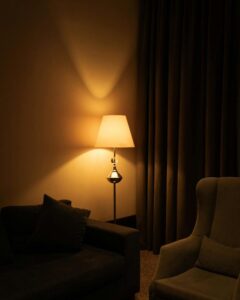

Working from home has become a norm for many, making the home office an important space in your daily life. Creating an environment that is both cozy and productive can greatly improve your work experience. In this guide, we’ll explore practical tips to help you design a home office that encourages focus and comfort.
Choose the Right Location
Selecting the right spot for your home office is the first step. Ideally, find a quiet area with minimal distractions. If possible, a separate room is best to help you mentally separate work from leisure.
Consider Natural Light
Natural light enhances mood and alertness, so try to position your desk near a window. If natural light is limited, invest in good-quality artificial lighting that mimics daylight.
Invest in Comfortable Furniture
Comfort plays a huge role in productivity. Choose an ergonomic chair that supports your back and promotes good posture. Pair it with a desk at the right height to avoid strain.
Desk Options
Depending on your space, you might opt for:
– A traditional desk with drawers for storage
– A standing desk to alternate between sitting and standing
– A compact or foldable desk for small areas
Organize Your Space Efficiently
A clutter-free workspace helps reduce stress and distractions. Use shelves, baskets, or drawer organizers to keep essential items in order.
Tips for Organization
– Keep only daily-use items on your desk
– Use cable management tools to prevent tangles
– Dedicate zones for different tasks, like a writing area and a tech station
Personalize Your Workspace
Adding personal touches can make your workspace inviting and inspire creativity. Consider:
– Plants to add greenery and improve air quality
– Artwork or photos that motivate you
– A cozy rug or cushions for added comfort
Manage Noise and Distractions
Depending on your environment, noise can be a major distraction. Use noise-canceling headphones or soft background music to maintain focus. If possible, set clear boundaries with household members during work hours.
Prioritize Good Lighting and Screen Setup
Eye strain can hinder productivity. Position your computer screen to avoid glare, and consider a monitor stand to keep your screen at eye level. Ensure lighting is bright enough without causing reflections.
Establish a Routine
Having a designated space encourages routine. Start and end work at consistent times, and use your office for work only. This helps mentally switch work mode on and off.
Add Practical Technology
Equip your office with reliable technology to prevent interruptions. Some essentials include:
– A stable Wi-Fi connection
– A quality webcam and microphone for meetings
– External storage or cloud services for file backup
Take Breaks and Move Around
Even in a cozy space, long hours can be taxing. Schedule short breaks to stretch, walk, or rest your eyes. Keeping some movable elements like a yoga mat or small weights nearby can encourage physical activity.
Keep Your Workspace Fresh and Inviting
Regular cleaning and occasional rearranging can keep your home office feeling fresh. Changing your setup or colors occasionally can inspire new energy.
—
Creating a cozy and productive home office doesn’t require a large budget or professional design skills. Focus on comfort, organization, and personalization to build a space where you can work efficiently and feel at ease. With these tips, your home office can become a place you look forward to spending time in every day.