Having a comfortable and calming workspace at home can make a significant difference in your productivity and overall well-being. Whether you work remotely full-time or occasionally tackle tasks from home, creating an environment that helps you focus while feeling relaxed is essential. In this post, we’ll explore practical tips for designing a home workspace that balances productivity with comfort.
Why a Relaxing Workspace Matters
People often associate workspaces with focus and efficiency, but comfort and relaxation play just as important roles. When your workspace feels welcoming and stress-free, it reduces distractions, improves concentration, and helps prevent burnout. A thoughtfully designed home office can make work feel less like a chore and more like a fulfilling activity.
1. Choose the Right Location
Pick a Quiet and Bright Spot
Selecting the right spot in your home lays the foundation for a great workspace. Look for a quiet corner or room where interruptions are minimal. Natural light is a huge advantage—it boosts mood and alertness. If possible, set up near a window to enjoy daylight and outdoor views.
Avoid High Traffic Areas
If you don’t have a separate room, try to position your workspace away from high-traffic zones like kitchens or living rooms. This separation helps your brain associate that area with work and focus.
2. Invest in Ergonomic Furniture
Comfortable Chair and Desk
Your chair and desk are the most important pieces of furniture for comfort. Choose an ergonomic chair that supports good posture, ideally adjustable for height and back support. A desk at the right height prevents strain on your arms and shoulders.
Consider Standing Options
If you spend long hours working, a sit-stand desk or adjustable desk converter can help you alternate between sitting and standing. Moving periodically reduces fatigue and fosters better circulation.
3. Keep It Organized and Clutter-Free
Use Storage Solutions
Clutter drains energy and distracts you. Invest in shelves, drawers, or organizers to keep your office supplies neatly stored but accessible. Label containers if that helps you find things quickly.
Daily Declutter Routine
Spend a few minutes at the end of each day clearing your desk and organizing paperwork. Starting each day with a tidy space sets a productive tone.
4. Incorporate Calming Colors and Decor
Choose Soothing Colors
Colors impact mood and energy. Soft, neutral tones like light blues, greens, or warm beiges promote calmness. Avoid overly bright or harsh colors that might cause agitation.
Add Personal but Minimal Touches
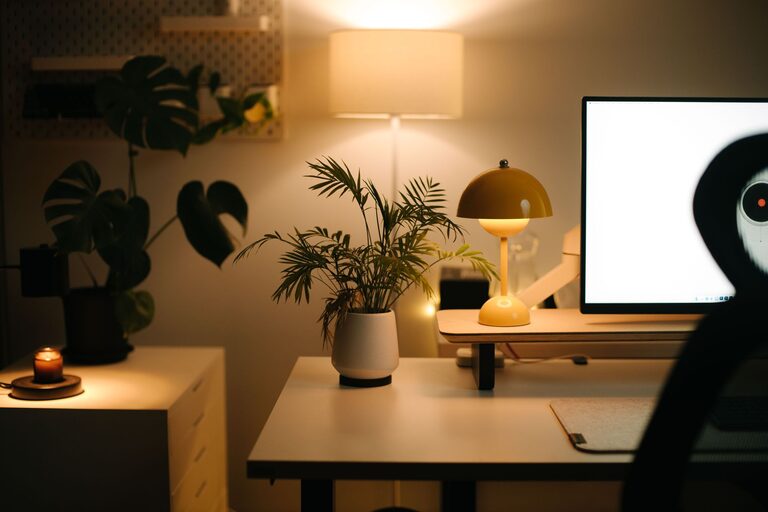
Include a few personal items such as photos, plants, or artwork that inspire you but don’t overcrowd your space. Plants in particular add natural beauty and can improve air quality.
5. Optimize Lighting for Comfort
Layer Your Lighting
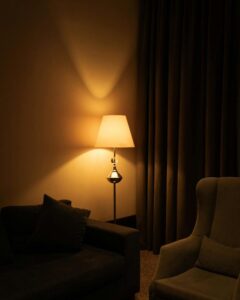
Combine natural light with layered indoor lighting — ambient, task, and accent lights. A desk lamp with adjustable brightness is ideal for detailed tasks.
Avoid Glare and Shadows
Position your computer screen perpendicular to windows to avoid glare. Use blinds or curtains to control sunlight during peak hours.
6. Manage Noise Levels
Use Noise-Canceling Options
If you work in a noisy environment, consider noise-canceling headphones or white noise machines to minimize distractions.
Soft Background Music
For some, gentle background music or nature sounds can improve focus and reduce stress. Experiment to see what works best for you.
7. Maintain Air Quality and Temperature
Keep Fresh Air Flowing
Good ventilation keeps you alert and comfortable. Open windows when possible or use air purifiers to maintain fresh indoor air.
Adjust Temperature to Your Comfort
Too hot or too cold environments hinder productivity. Use fans, heaters, or thermostats to create a temperature that helps you stay focused without feeling uncomfortable.
8. Establish Boundaries and Routine
Set Clear Work Hours
Having set work hours helps create mental boundaries. When your workday ends, take a moment to organize your workspace and “shut down” to separate work time from personal time.
Dress for Work
Even if you work from home, dressing in work-appropriate clothes can help shift your mindset into a productive mode.
Final Thoughts
Creating a relaxing home workspace is about balance — combining comfort, organization, and focus-friendly elements. By choosing the right location, investing in ergonomic furniture, and paying attention to lighting and noise, you can design a space where work feels engaging rather than stressful. Remember, small changes can lead to big improvements in how you feel while working.
Try implementing one or two tips at a time and see how your workspace transforms. A supportive environment paves the way for better productivity and comfort every day.