Creating a home workspace that is both inviting and productive can make a significant difference in your daily work routine. With many people spending substantial time working remotely, having a dedicated and well-designed area helps improve focus, comfort, and overall job satisfaction. Whether you have a large room or just a small corner, these tips will guide you in setting up a home workspace that works for you.
1. Choose the Right Location
Selecting the best spot in your home for your workspace is essential. Look for a quiet area with minimal distractions. Natural light is a big plus; it helps keep you alert and improves mood. If possible, pick a space near a window.
Consider the following factors:
– Distance from household noise
– Privacy for video calls
– Proper ventilation and lighting
– Availability of power outlets
Even a small nook in your living room or bedroom can be transformed into an effective workspace with the right setup.
2. Invest in Comfortable Furniture
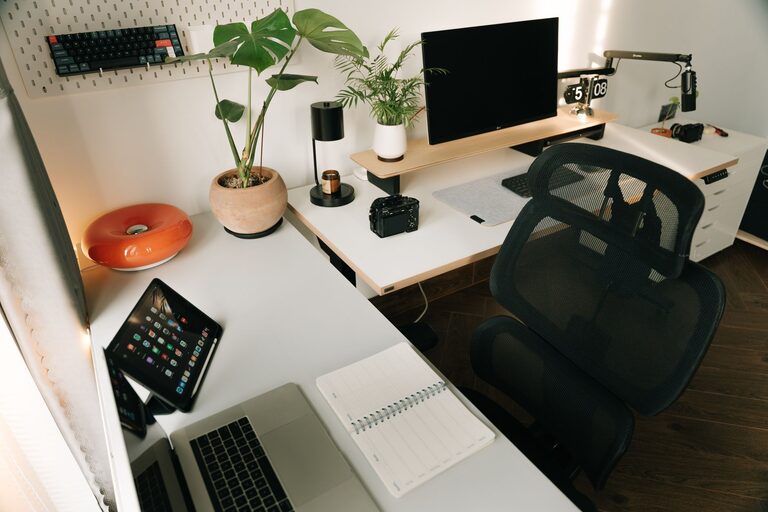
Comfort directly impacts productivity. An ergonomic chair that supports your back and adjustable desk height can help prevent discomfort during long work hours. Avoid working from a couch or bed, as they don’t provide proper posture support.
Tips for furniture:
– Choose an adjustable chair with good lumbar support
– Ensure your desk is at a comfortable height
– Consider a sit-stand desk for movement variation
– Use a footrest if needed to reduce strain
Comfortable furniture encourages longer, focused work sessions without physical pain.
3. Organize Your Workspace Effectively
A clutter-free desk reduces distractions and helps you focus. Organize your supplies and devices so everything you need is within reach. Use organizers, shelves, or drawers to keep your space tidy.
Organization recommendations:
– Use cable management tools to reduce cord clutter
– Keep only essential items on your desk
– Invest in desk organizers or file holders
– Label drawers or storage bins for easy access
Maintaining an organized workspace can improve your efficiency and reduce stress.
4. Optimize Lighting
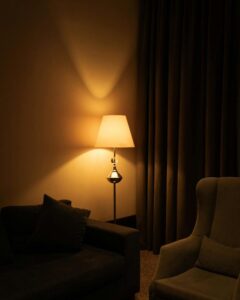
Proper lighting is vital for your comfort and productivity. In addition to natural light, consider your artificial lighting options. Avoid harsh overhead lights that cause glare on screens or strain your eyes.
Lighting ideas:
– Use desk lamps with adjustable brightness and color temperature
– Position monitors to avoid reflections from windows or lamps
– Choose warm or neutral white bulbs for a calming ambiance
– Take advantage of daylight as much as possible
Good lighting reduces eye fatigue and keeps you alert throughout the day.
5. Personalize Your Workspace
Adding personal touches can make your workspace feel inviting and inspiring. It also helps create a boundary between home life and work life.
Ways to personalize:
– Display a few favorite photos or artwork
– Add plants to improve air quality and add color
– Incorporate your favorite colors in decor or accessories
– Use inspiring quotes or reminders that motivate you
Personalized touches make your workspace a place you look forward to using.
6. Minimize Distractions
Focus is key for productivity. Identify potential distractions and find ways to minimize them.
Suggestions include:
– Inform household members of your work hours
– Use noise-cancelling headphones if needed
– Turn off non-work related notifications
– Keep your phone on silent or in another room while working
By managing distractions, you can maintain a productive and peaceful workspace.
7. Keep Technology Up to Date
Reliable technology helps you work without interruptions. Make sure your computer, internet connection, and necessary devices are in good working order.
Technology tips:
– Use a fast and stable internet connection
– Maintain your computer with regular updates
– Invest in quality peripherals like a keyboard and mouse
– Use a second monitor if your work requires multitasking
Up-to-date technology supports smooth workflow and minimizes frustrations.
8. Take Regular Breaks
Working in one place can lead to fatigue. Schedule short breaks to stretch, hydrate, or take a quick walk. This helps refresh your mind and body.
Break ideas:
– Follow the Pomodoro technique: 25 minutes work, 5 minutes break
– Do simple stretches or breathing exercises
– Move away from your desk during breaks for a change of scenery
Regular breaks improve focus and overall wellbeing throughout your workday.
—
By thoughtfully creating your home workspace with these tips, you can establish an environment that supports both productivity and comfort. A well-planned workspace helps balance work and home life, allowing you to achieve your goals while enjoying your surroundings. Start small, experiment with what works best for you, and enjoy the benefits of a workspace designed just for you.