Creating a comfortable and productive home office space is essential for anyone who works remotely or frequently from home. A well-designed workspace can help improve focus, reduce stress, and increase overall job satisfaction. Whether you have a dedicated room or just a corner of a room to work with, these tips will help you set up a home office that supports your work needs and personal well-being.
Choose the Right Location
Quiet and Free of Distractions
Start by selecting a location in your home that is quiet and minimal in distractions. Avoid busy areas like the kitchen or living room if possible. Ideally, choose a room with a door to separate work from home life, helping to maintain focus and privacy.
Natural Light Matters
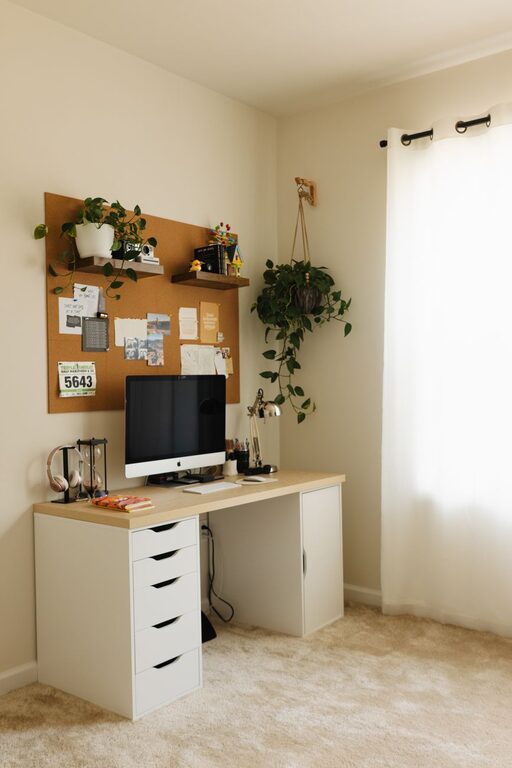
If available, position your desk near a window. Natural light helps reduce eye strain and boosts mood and alertness. However, be mindful of glare on computer screens; using curtains or adjustable blinds can help control sunlight.
Invest in Ergonomic Furniture
Supportive Chair
Your chair is one of the most important pieces of furniture in your home office. Select one that supports the natural curve of your spine and allows you to sit comfortably for extended periods. Adjustable features like seat height, lumbar support, and armrests can make a big difference.
Functional Desk
Choose a desk that fits your needs. It should be large enough to hold your computer, notebooks, and any other tools you regularly use, while allowing you to maintain good posture. Standing desks or adjustable desks are a great option to alternate between sitting and standing throughout the day.
Organize Your Workspace Efficiently
Declutter Regularly
A cluttered environment can negatively impact focus. Keep your desk neat by regularly clearing away unnecessary items and organizing important documents in trays or file holders.
Use Storage Solutions
Utilize shelves, drawers, or storage boxes to keep supplies like pens, paper, and chargers tidy and within reach. Label containers if needed to save time searching for materials.
Optimize Technology Setup
Reliable Internet
A stable and fast internet connection is crucial for remote work. If Wi-Fi signal is weak, consider using a wired connection or a signal booster to maintain productivity.
Proper Equipment
Invest in quality technology tools, such as a good monitor, keyboard, and mouse, to reduce eye and hand strain. If you participate in frequent virtual meetings, a noise-canceling headset and a good webcam can enhance communication.
Pay Attention to Lighting
Combine Natural and Artificial Light
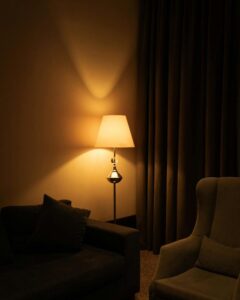
While natural light is beneficial, supplement it with soft, warm artificial lighting to avoid eye fatigue, especially during evening hours. Desk lamps with adjustable brightness offer good flexibility.
Reduce Glare
Position lights and screens to minimize glare. Consider using anti-glare screen protectors or repositioning your monitor to improve comfort.
Incorporate Personal Comfort Elements
Maintain Comfortable Temperature
Ensure the room temperature is neither too hot nor too cold. Use fans, heaters, or air purifiers if necessary to maintain a pleasant work environment.
Add Plants and Decor
Indoor plants not only enhance aesthetics but also improve air quality and reduce stress. Choose low-maintenance plants and decorate your space with items that inspire and motivate you without creating distractions.
Establish Boundaries and Routine
Define Work Hours
Create a distinct work schedule to separate professional tasks from personal life. This helps with focus during work hours and relaxation afterward.
Use Visual Cues to Signal Focus
Try using signs, closed doors, or headphones to signal when you are working and prefer not to be disturbed.
Keep Movement and Breaks in Mind
Schedule Breaks
Taking short breaks every hour can help reduce strain and improve concentration. Use this time to stretch, walk, or relax your eyes.
Set up Space for Movement
If possible, integrate an area for stretching or light exercise. Even a small yoga mat nearby can encourage movement, which is beneficial for both body and mind.
Final Thoughts
Building a home office that balances comfort and productivity doesn’t require extensive renovation or equipment. Focus on selecting the right spot, investing in quality furniture, organizing efficiently, and creating an environment that supports your work habits and well-being. A thoughtfully designed workspace can make working from home a positive and productive experience every day.